Auto Skip Helper for YouTube 1.2.6
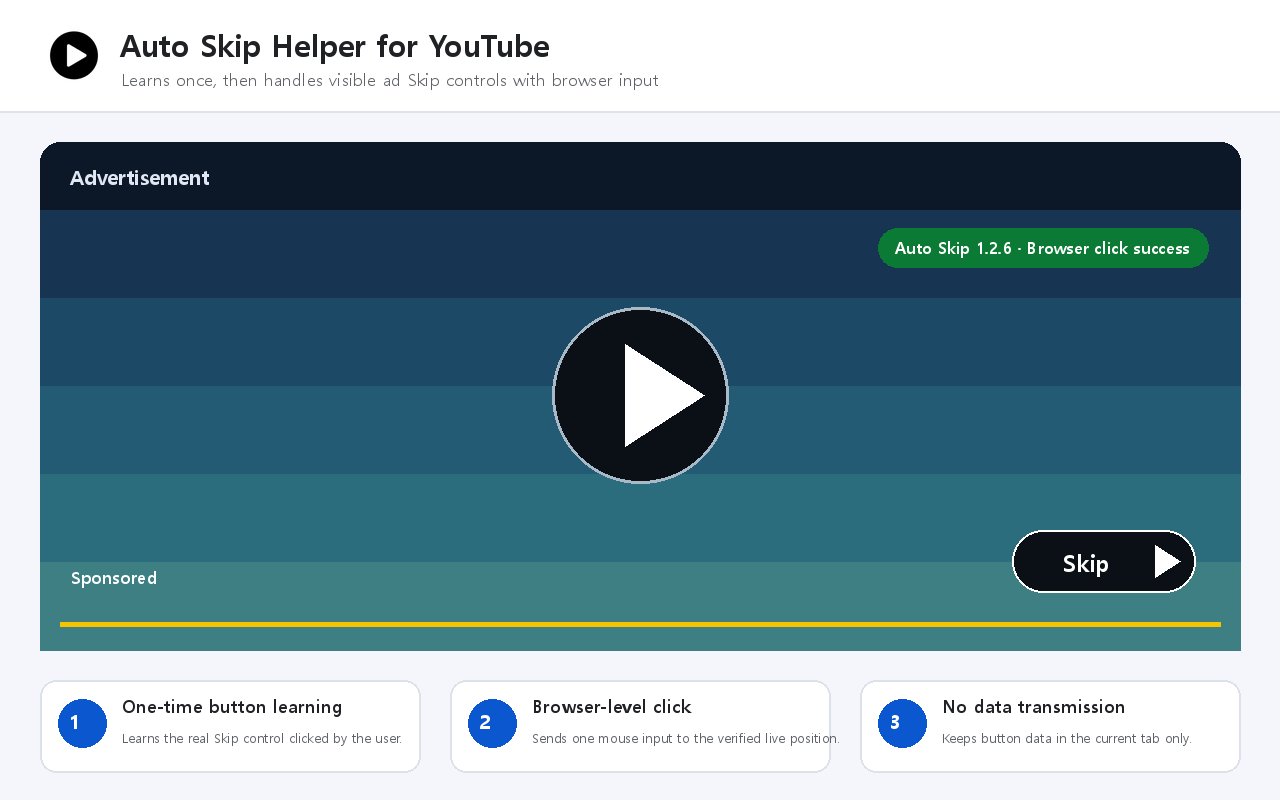
YouTube 광고의 보이는 Skip 버튼을 한 번 학습한 뒤, 같은 탭에서 이후 광고를 브라우저 수준의 실제 마우스 입력으로 빠르게 처리하는 Chrome 확장 프로그램입니다.
한국어 안내
주요 기능
- 새 YouTube 탭에서 처음 나타난 Skip 버튼은 사용자가 직접 한 번 클릭하여 버튼 특징을 학습합니다.
- 같은 탭에서 이후 건너뛸 수 있는 광고가 나타나면 학습한 버튼과 비교하고 현재 화면 좌표를 다시 계산합니다.
- 검증된 Skip 좌표에 브라우저 수준의 왼쪽 마우스 누름과 놓기를 한 번 전달합니다.
- 창 크기와 YouTube 화면 모드가 달라져도 클릭 직전에 현재 위치를 다시 확인합니다.
- 성공 후에도 다음 광고 구간을 계속 기다립니다.
- 드래그할 수 있는 상태 알림으로 학습, 대기, 성공 또는 실패를 표시합니다.
- 광고 재생시간이나 재생속도를 변경하지 않습니다.
사용 방법
- YouTube 동영상을 새 탭에서 엽니다.
- 첫 번째로 나타난 광고의 Skip 버튼을 직접 한 번 클릭합니다.
- 그 뒤 같은 탭에서 나타나는 건너뛸 수 있는 광고는 확장 프로그램이 학습한 버튼을 확인하여 자동으로 처리합니다.
개인정보 보호
- Skip 버튼 문구와 요소 속성, 사용자의 첫 Skip 클릭, 학습한 버튼 특징 및 알림 위치만 브라우저 안에서 처리합니다.
- 학습 정보와 알림 위치는 해당 YouTube 탭의 sessionStorage에만 저장되며 탭을 닫으면 삭제됩니다.
- 외부 서버 요청, 원격 코드, 분석 도구 또는 추적 기능을 사용하지 않습니다.
- 사용자 데이터를 외부로 전송하거나 판매 또는 공유하지 않습니다.
권한과 제한 사항
- YouTube 사이트 접근 권한은 플레이어 안의 보이고 활성화된 Skip 버튼을 확인할 때만 사용합니다.
- debugger 권한은 요청한 YouTube 탭의 검증된 Skip 좌표에 짧은 마우스 입력을 전달할 때만 사용하며 입력 직후 연결을 해제합니다.
- Skip 버튼이 없는 광고는 처리할 수 없습니다.
- YouTube가 광고 화면 구조를 변경하면 일시적으로 작동하지 않을 수 있습니다.
- 입력 시 Chrome이 짧은 디버깅 알림을 표시할 수 있습니다.
Chrome Web Store Listing - English
Name
Auto Skip Helper for YouTube
Short description
Learns one visible YouTube ad Skip control, then uses a verified browser-level click for later skippable ads.
How it works
- On each new YouTube tab, the first visible Skip control is clicked once by the user. The extension explains that this saves a button signature only in that tab session.
- For later skippable ads in the same tab, it compares the visible control with the learned signature and recalculates its current screen position.
- It briefly attaches Chrome's debugger input API to the current YouTube tab, sends one verified left-button press and release at the Skip control, and immediately detaches.
- It automatically waits for later ad breaks after each successful skip.
- A draggable status notice shows learning, waiting, success, or failure without changing ad playback time or speed.
Privacy
- Limited website content and user activity are processed locally: Skip-control text and element attributes, the user's first Skip click, the learned button signature, and the status-notice position.
- The learned signature and notice position are stored only in that YouTube tab's sessionStorage and are cleared when the tab is closed.
- No browsing history, searches, account information, video titles, analytics, advertising identifiers, or tracking data are collected.
- No user data is transmitted, sold, or shared. The extension makes no external server requests and uses no remote code.
Permissions and limitations
- YouTube host access is used only to identify visible and enabled Skip controls in the YouTube player.
- The debugger permission is used only for a short browser-level mouse input to the verified Skip coordinate in the requesting YouTube tab. It does not inspect network traffic, page data, or other tabs, and it detaches immediately after the input.
- Ads without a Skip control cannot be skipped.
- YouTube interface changes may temporarily affect detection.
- Chrome may show a brief debugging notification when the input is delivered.
This independent utility is not produced, endorsed, or sponsored by YouTube or Google. Users can disable or remove it at any time from Chrome's extension management page.
Category
Tools
댓글 0
댓글당 최대 200자